
On-demand compute
Short-term GPU access for experiments, model evaluation, rendering or a time-limited project.
- Discuss the GPU and software environment
- Agree storage, duration and total cost
- Run your own workload
GPU hosting for research, simulation and AI inference.
Rent capacity for your own workloads, reserve a server for ongoing work, or discuss hosting for your own language models. UK-hosted compute and on-premises AI systems for businesses and research teams.
Drawn live by your device.
GPU compute
GPU capacity for research, simulation and AI.
Run your own software on rented GPUs, or ask us to scope a managed deployment. Hardware access and application management are separate services, with clear responsibilities and pricing.
Short-term GPU access for experiments, model evaluation, rendering or a time-limited project.
A longer-term arrangement for recurring jobs or a service that needs an agreed allocation of compute.
A local model in a UK-hosted environment or a system on your premises, designed around your business requirements.
Already comfortable managing your own instance? Selected Percepta capacity is also offered through Vast.ai. Marketplace pricing, availability and terms apply; enquire directly if you need a particular configuration.
You do not have to be an AI company to benefit from GPU compute. The important question is whether your software can use it effectively.
Model evaluation, parameter sweeps and reproducible training runs. Reserve capacity for a study or run independent experiments across GPUs.
GPU-enabled numerical analysis and engineering solvers. The application, precision requirements and dataset determine whether RTX or H200 is appropriate.
Run chat, coding and document-understanding models; evaluate alternatives or carry out supported adapter fine-tuning. Size the deployment for context length and concurrent requests.
Internal assistants and search over approved documents, using a hosted or on-premises model. Retrieval, access permissions and application integration are scoped together.
Train and evaluate detection models, test new datasets or run batch image analysis. Keep development compute separate from the systems deployed at your sites.
Render queues, visualisation and media-processing jobs. Match the GPU to the renderer, required features and software licence before reserving capacity.
For simulation and research: not every solver is GPU accelerated. Tell us the application, precision requirements and dataset size. We can discuss a representative trial before you commit to a longer allocation.
Choose around the workload: the model you need to serve, the number of simultaneous requests, or the solver you need to run. Exact hardware, availability and pricing are confirmed in your proposal.
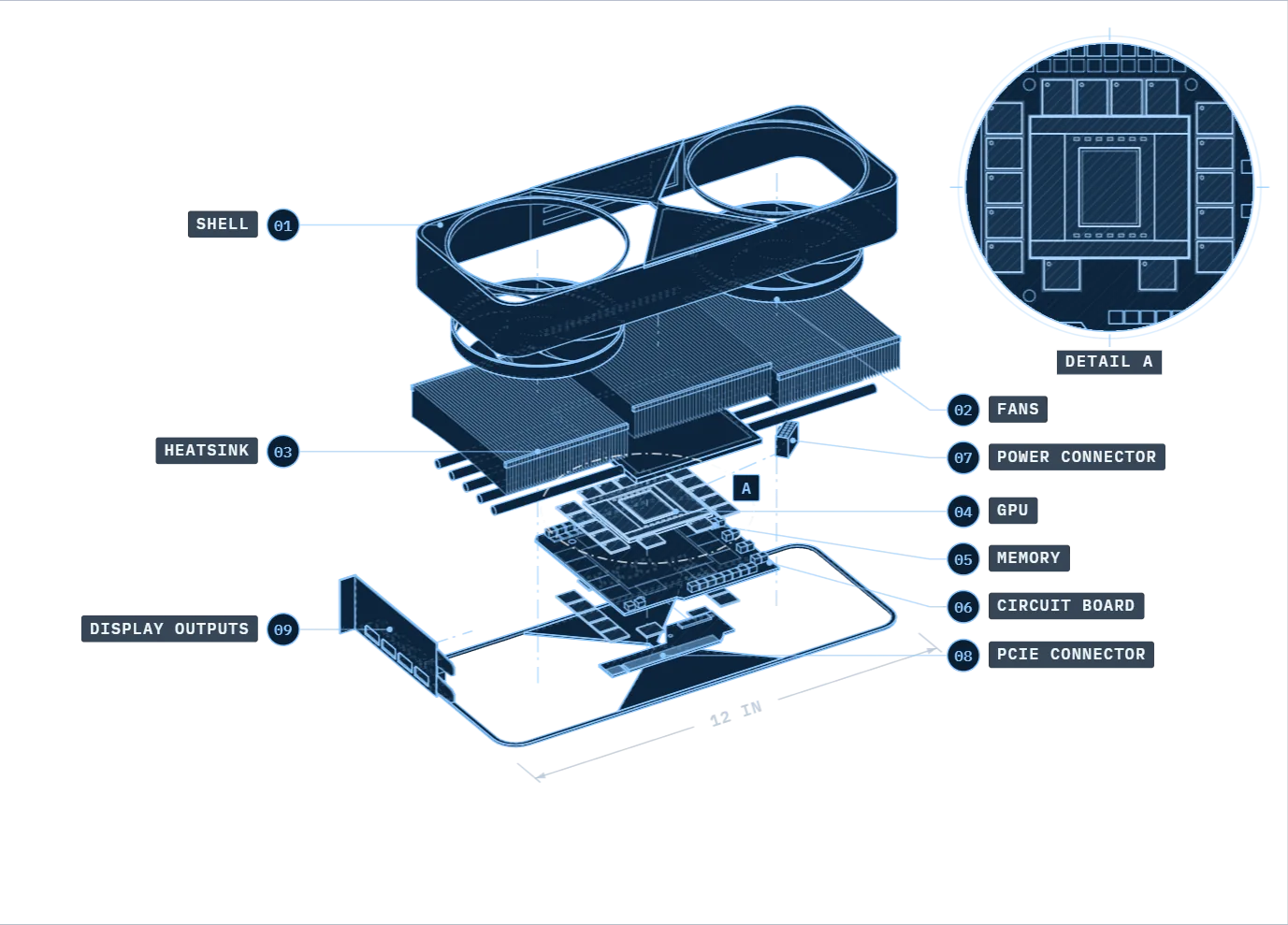
CoolingActive double-flow-through
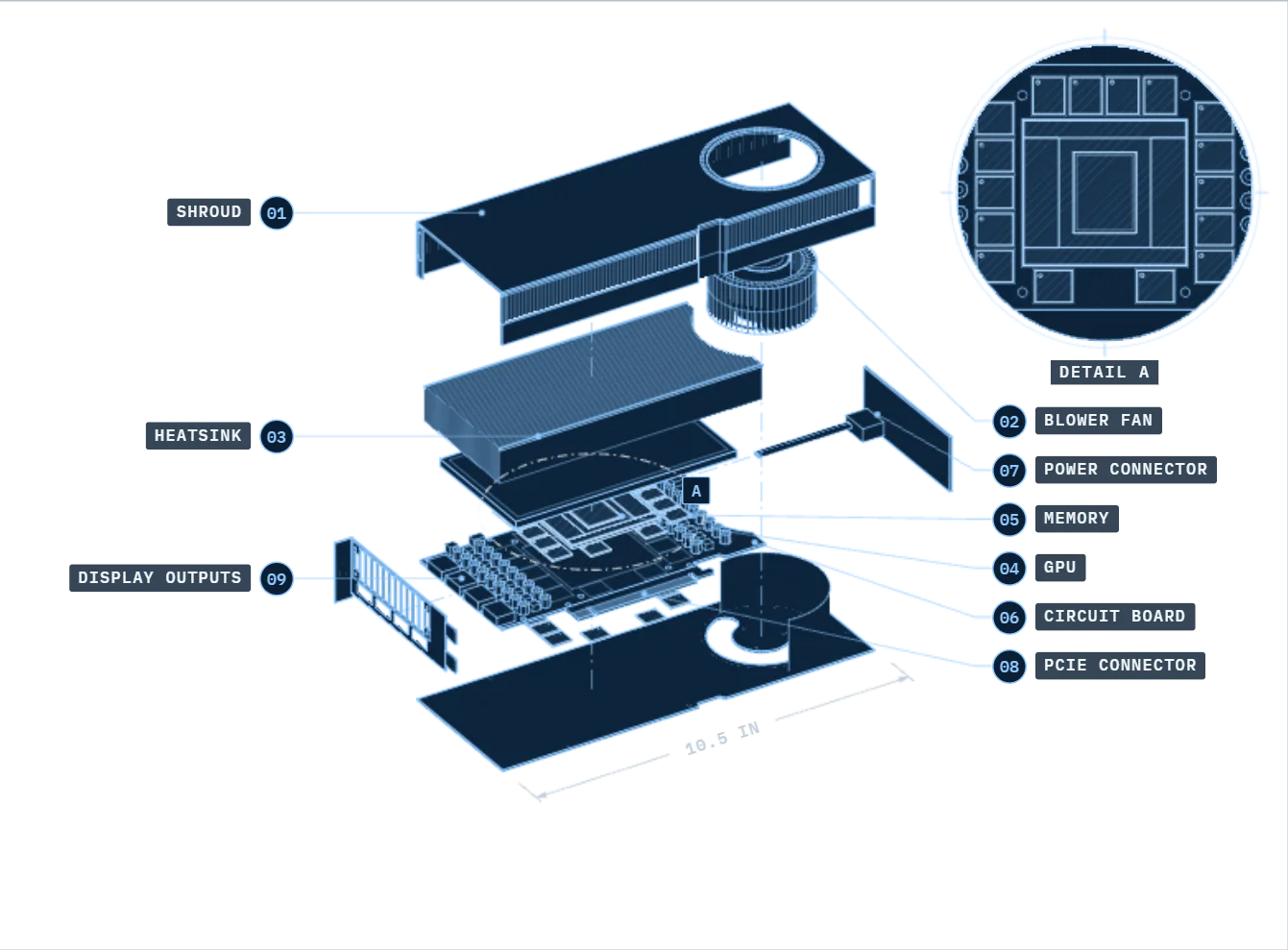
CoolingActive blower fan
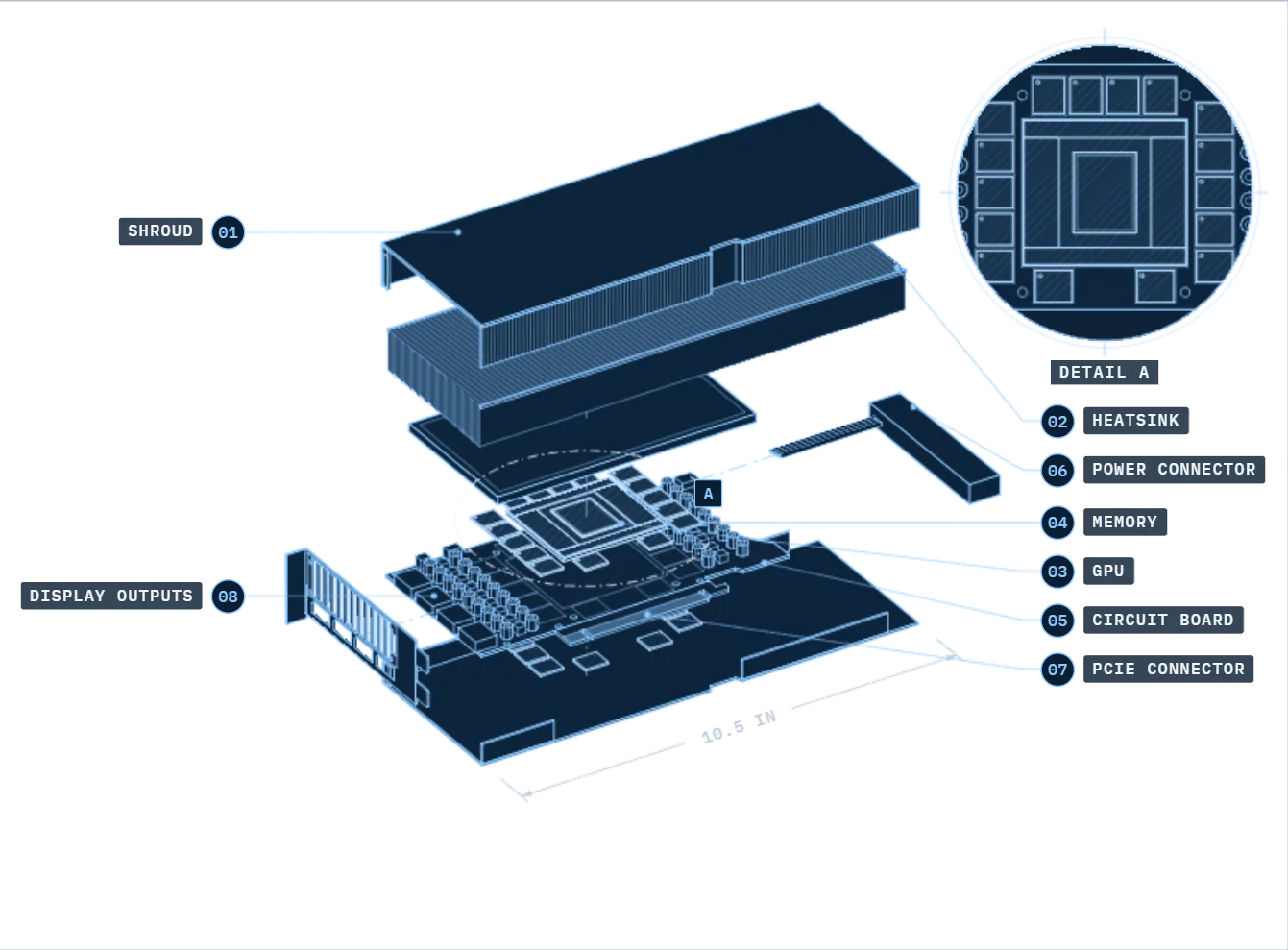
CoolingPassive air-cooled; requires qualified ducted server airflow
Allow suitable chassis clearance, airflow and system power for this edition.
The extended-height, dual-slot cooler uses two flow-through airflow paths for the 600 W design.
Choose the PSU for the complete system, not the GPU alone.
The GPU has a 600 W board-power rating and requires one PCIe CEM5 16-pin connection.
Allow additional room for the power cable and blower airflow.
The 300 W active blower design prioritises power and space efficiency. Check slot spacing, airflow and total system power with your system manufacturer.
The 300 W rating is for the GPU. Check PSU capacity for the complete system.
The card requires one PCIe CEM5 16-pin connection.
Use a server with the forced airflow required for this passive card.
Board power is configurable up to 600 W; the supported setting depends on the board, firmware, cabling and host system.
LLM hosting, a development environment or a single-GPU job.
More independent work, or a model distributed across GPUs.
Memory-heavy inference and supported scientific workloads.
VRAM is not a model-size guarantee. Allow for model weights, the KV cache used by active requests and runtime overhead. Multiple GPUs need explicit software support to share a model; their memory is not automatically pooled.
Manufacturer specifications: RTX PRO 6000 / H200. These are configuration options, not a live availability list. CPU, system RAM, storage and networking are sized alongside the GPUs.
Run open-weight models on UK-hosted GPUs or a system on your premises. Choose the model for your application, then size the compute for the context, response time and number of users it needs to support.
A model loading successfully is not the same as serving it well under load. Longer conversations and more simultaneous requests change the memory budget and response time.
Models evolve quickly. We help you choose from the latest available options based on your tasks, data, privacy requirements and budget.
A smaller model may meet your needs with less hardware. We test quality, response time and memory use on your workload, then confirm the model, licence and configuration before deployment.
Internal chat, summarisation and analysis, with reasoning suited to the task. Evaluate quality, languages and response time on your own tasks.
Code generation, explanation and repair. Test against your languages and repository context; IDE integration and tool execution are separate application work.
Interpret text, tables and charts in document images. Validate extraction on representative pages, with document preparation and access controls included in the scope.
Generate vectors for semantic search, then rank retrieved documents for relevance. These complement a language model; ingestion, indexing and permissions need their own setup.
Both support batching and prefix caching. We compare them on the exact model, GPU and request pattern, rather than assume one is faster.
Continuous batching and paged attention help schedule requests and manage KV-cache memory. Model support covers generation and retrieval workloads.
RadixAttention supports reuse of shared prompt prefixes. A candidate for repeated-context serving, with model-specific distributed inference options.
Validate before deployment. We agree model/version and licence, context and concurrency limits, then test response quality, time to first token and output speed on the chosen hardware. Deployment assistance and ongoing management are scoped separately from GPU rental.
Discuss LLM hostingFor businesses that do not want confidential prompts or documents routinely sent to a public AI service. We can discuss local-model hosting and on-premises systems, with the controls and responsibilities agreed before deployment.
| UK hosted | Your premises | |
|---|---|---|
| 01Where the model runs | UK colocation facilityNo server room required Run a selected model on allocated compute at our UK colocation facility. This is remotely hosted computing, not an on-premises system. | Your on-site systemKeep inference on site A local model can process prompts and documents within your premises. |
| 02Where your data goes | Agreed secure connection The AI model, GPU compute and approved business data sit inside a data boundary. | Local network External tools, updates and remote support need separate consideration. |
| 03Who is responsible | Define the data boundary Agree access, tenant isolation, storage, logging, backups and administrator permissions before moving confidential information. | Plan the physical setup We scope hardware, power, cooling, networking and handover with you. Installation and ongoing management are agreed separately. |
Deployment design is agreed per project. A private model alone does not guarantee confidentiality or regulatory compliance. | ||
For an internal assistant, agree which documents it can retrieve and whose permissions it follows. For a hosted model, agree access controls, logging and retention. We scope these alongside the model, not as an assumption about where the server sits.
We already host customer GPU workloads through Vast.ai and operate company-owned compute in UK colocation. You deal directly with Percepta about the hardware, deployment and support you need.
We confirm the hosting location and data-handling requirements for your deployment. Storage, backups and any external services are included in that review.
Agree who manages the operating system, models, updates, backups and monitoring. Renting compute does not automatically include application support or backup protection.
Capacity, maintenance windows, response times and any service-level commitment are defined in your contract. Marketplace hosting history is not a guarantee for every application.
For research budgets and business projects, the useful number is the cost of getting the work done. We scope the resources and term before you commit.
GPU model and count, CPU allocation and system memory.
Working storage, retention, backups and any transfer costs.
Project hours or a longer-term reserved allocation.
Self-managed compute, deployment assistance or an agreed managed scope.
Have an existing cloud estimate? Bring it with your workload details. We can compare equivalent resources and scope; savings depend on utilisation, software, support and data transfer.
Yes. Discuss short-term access with us or browse available instances on Vast.ai. Direct bookings are quoted and confirmed before the allocation starts; availability and minimum terms depend on the configuration.
Only if the software can use the GPU effectively. We need the application and version, GPU support, licence conditions, precision requirements and a representative workload. Some simulations are CPU-bound or require a different class of accelerator.
No. A local model changes where inference runs, but access permissions, administrator access, logs, external tools, backups and support still matter. We agree the deployment boundary and data-handling arrangements with you; hosted and on-premises options have different responsibilities.
We can scope a local AI workstation or server around your use case. Hardware, software licensing, installation, network integration, training and ongoing support are confirmed separately in the proposal.
Do not assume they are included in a GPU rental. Bring details of any commercial software or restricted datasets. We confirm permitted use, customer responsibilities and any additional storage, backup or support services before the work starts.
A first conversation does not need a perfect specification. The application, deadline and budget are a useful starting point.
Please describe the requirement without sending confidential datasets, credentials or personal records.
All fields marked * are required.